
Print this article Edit this article
Adobe Dashboard
SEE TDX https://service.purdue.edu/TDClient/32/Purdue/KB/ArticleDet?ID=1827
Obtaining access to Adobe products:
Faculty and Staff: You have been added to the Faculty/Staff Dashboard to use CC by availing of the ETLA Named User License. Then, you can install CC on any PC you administer, whether or not it is Purdue-owned. If Purdue IT administers the machine, Purdue IT installs the package.
Retirees are typically NOT eligible. Emeriti are eligible, but access is on request, and they are manually added.
Most PostDocs fall under the Staff category for Adobe's purposes.
Students (Grad and Undergrad) are already in the Student Dashboard, and may use CC ONLY ON PURDUE-OWNED DOMAIN DESKTOP MACHINES using the Shared Device License ("Lab Package"). Additionally, these shared machines must physically be on campus. (Adobe's license wording is quite strict and limiting.) If CC is required, students will have to come to the on-campus lab. Students CAN NOT use RDP to access CC without purchasing a named license.
Students requiring Adobe licenses on off-domain or personal machines for work: Please have your faculty member contact us. We have a Rube-Goldberg mechanism that we can implement to make this happen, but please be patient if you need this route - it is neither easy nor fast!
*Note* For student PDF editability, a "shared" version needs to be installed.
Off-Domain Options for PDF Viewing:
Some easy options include:
- Using your web browser's PDF viewing by right-clicking on a PDF and selecting Open With... and selecting your browser
- Uploading your PDF to Google Drive and opening it from within Google Drive
- Adobe Reader: get.adobe.com/reader/otherversions/
Some Options for PDF Editing (YMMV - There's a reason Adobe rules this category!):
- Libre Office's Draw: https://www.libreoffice.org/ (Free)
- Nitro PDF: https://www.gonitro.com ($10/mo)
- PDF X-Change: https://pdf.wondershare.net/ad/pdf-editor/ ($79)
- PDF Complete: https://www.pdfcomplete.com/cms/Products/OfficeEdition4.aspx ($60)
Off-domain alternatives for other Adobe products:
From Lifehacker.com: https://lifehacker.com/13-reasonable-alternatives-to-adobes-expensive-apps-1846699369
- Affinity Photo [Adobe Photoshop]
- Photopea / SumoPaint [Adobe Photoshop]
- GIMP [Adobe Photoshop]
- Krita [Adobe Illustrator / Photoshop]
- Inkscape [Adobe Illustrator]
- Scribus [Adobe InDesign]
- RawTherapee / Darktable [Adobe Lightroom]
- PDF-XChange Editor [Adobe Acrobat]
- DaVinci Resolve [Adobe Premiere]
- Audacity [Adobe Audition]
Temporary Staff usage of Adobe Creative Cloud Suite: Temporary Staff are not directly covered by the Purdue Adobe License.
Temporary Staff needing access to the Adobe Creative Cloud Suite must create their own personal Adobe Account to use the software & they can only use the Shared Device License ("Lab Package"). This license can be installed on the Purdue-owned, "ON-DOMAIN" computer they use for their daily work.
To use the Adobe products
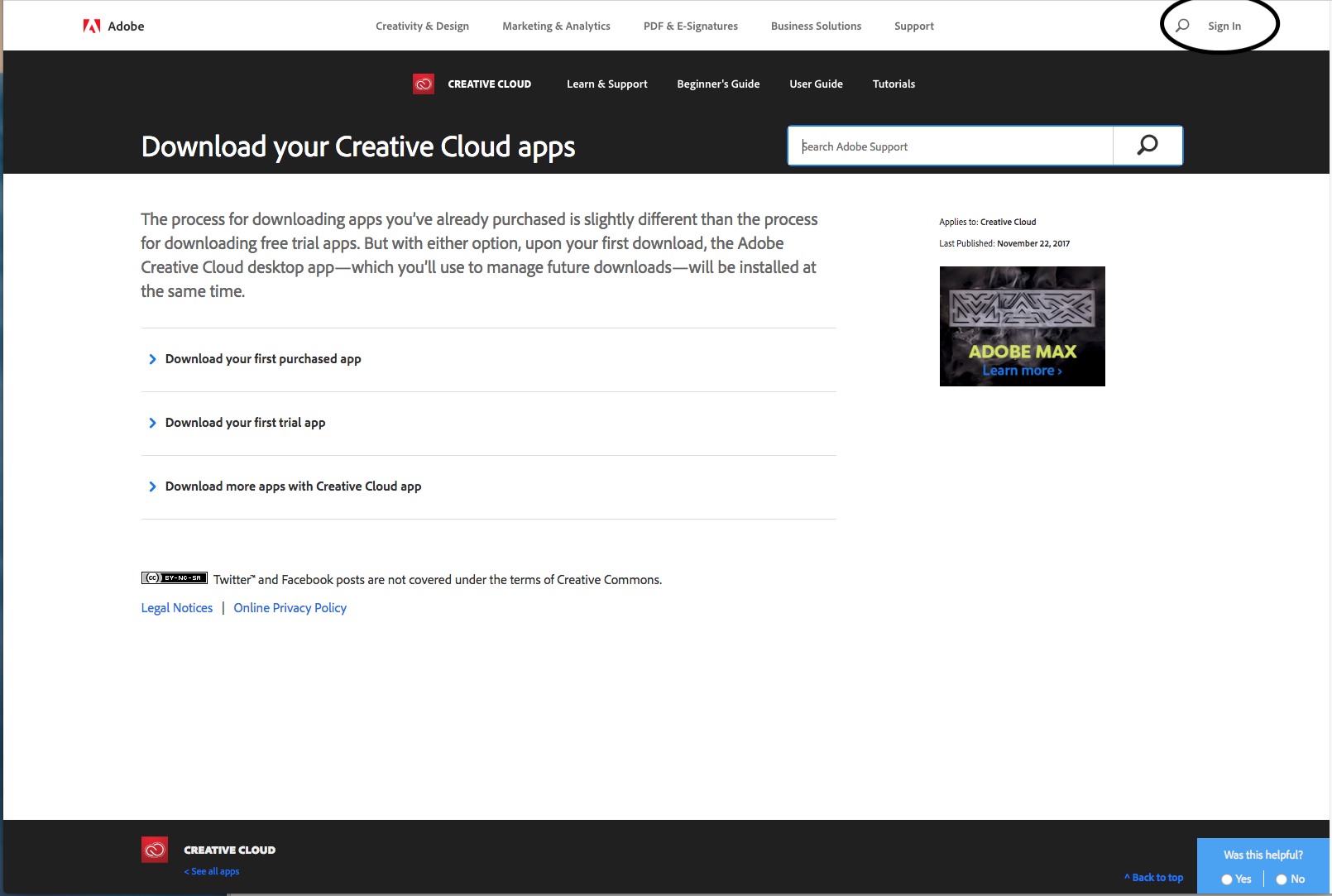 Click “Sign In” in the upper right-hand corner.
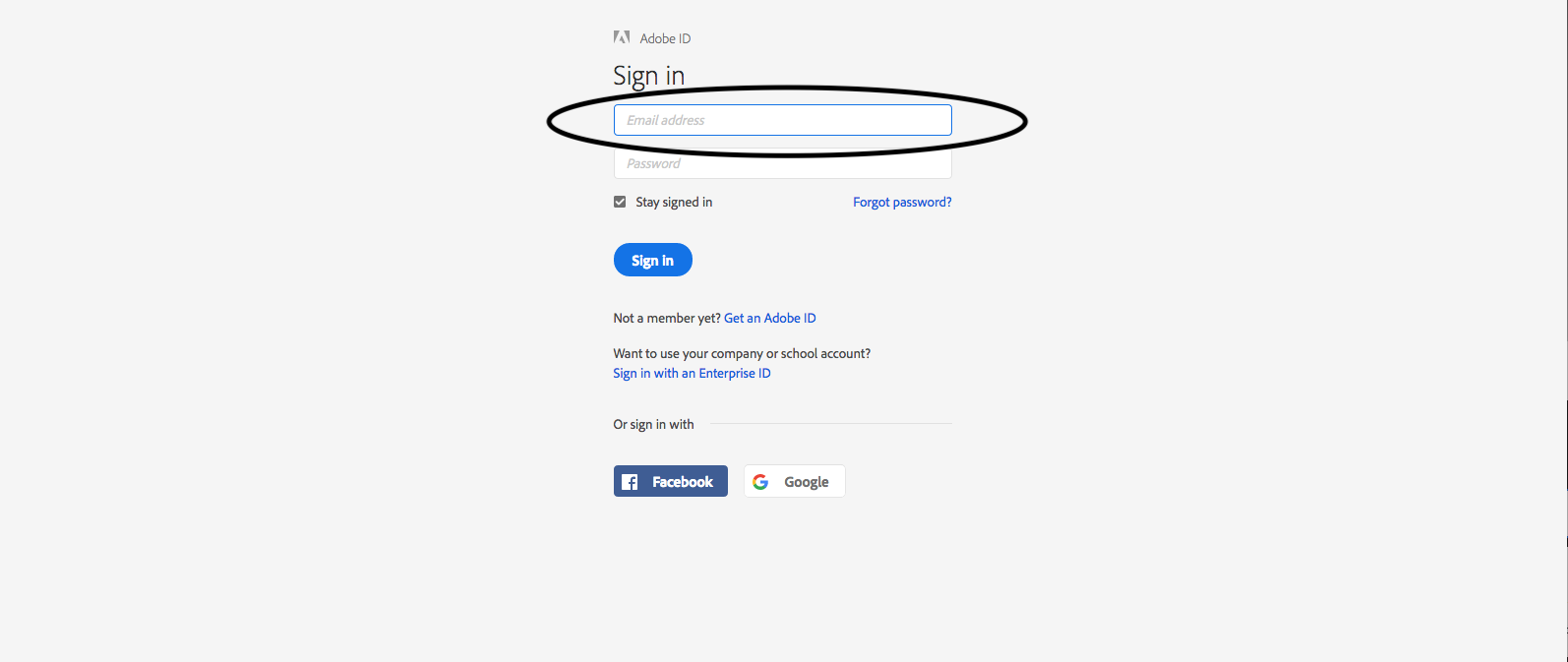 Enter your @purdue.edu email address for the requested email address.
Last Modified:
Dec 1, 2025 2:36 pm US/Eastern
Created:
Dec 5, 2017 4:16 pm US/Eastern
by
admin
JumpURL: