
Notice! This document is currently in
Archived
status.
The content of this document may be incorrect or outdated.
The content of this document may be incorrect or outdated.
Print this article Edit this article
Windows Printing: Slow/Hanging Print Jobs (Toshiba Printers)
Windows 7:
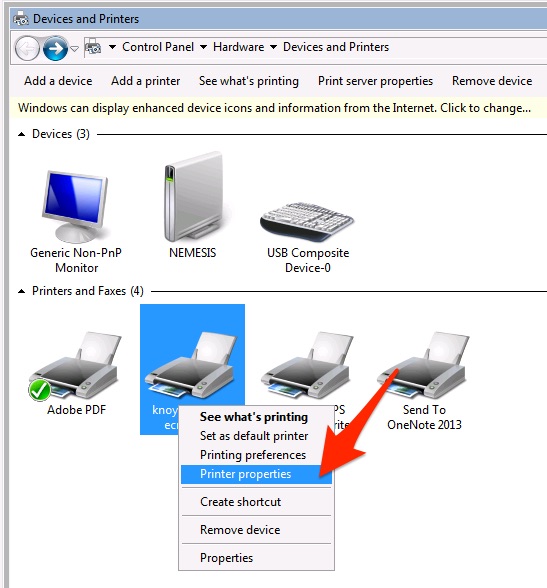
- Click Start, then Devices and Printers.
- Right-click the printer.
-
Click Printer Properties.
-
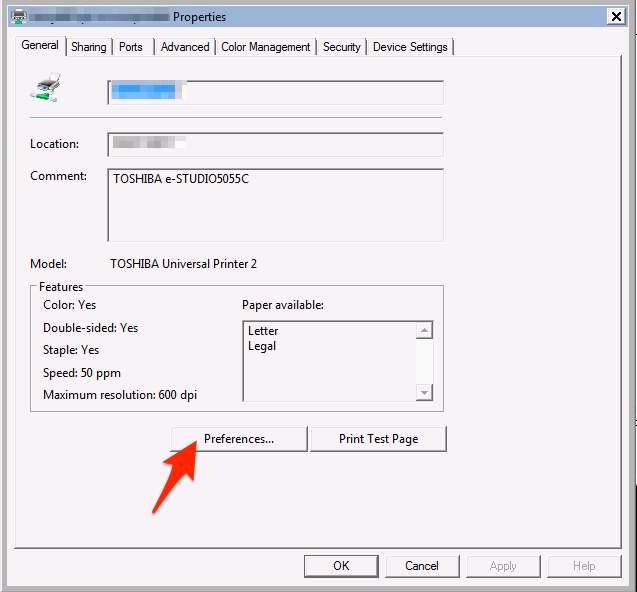
Click "Preferences" button.
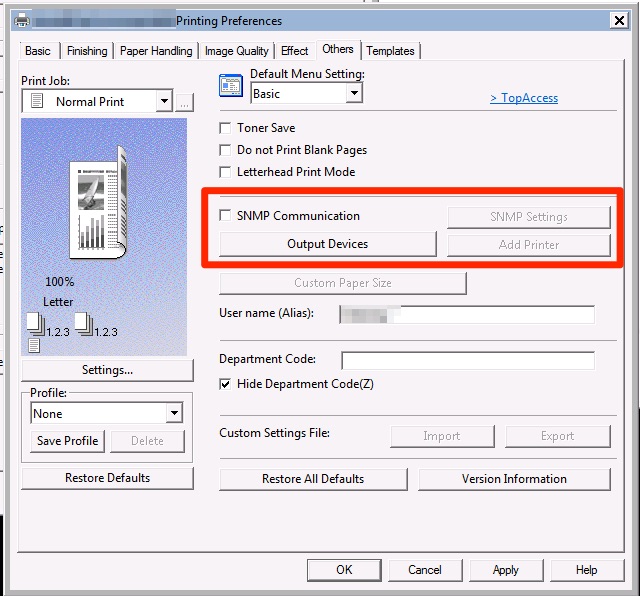
- Click "Others" tab.
-
Make sure "SNMP Communication" box is unchecked.
- Click "OK" to save and close the printer preferences, and "OK" once more to close the printer properties.
Windows 10:
- Click Start, then the Settings Icon
-
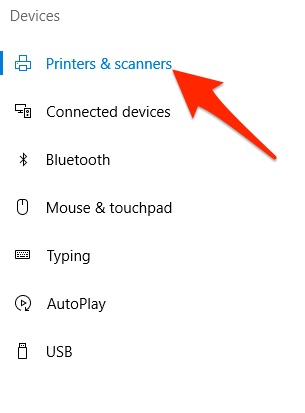
Click on Devices and select Printers & Scanners from the left hand list.
- Click on the printer.
-
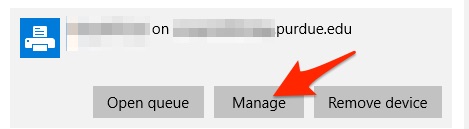
Click the "Manage" Button.
-
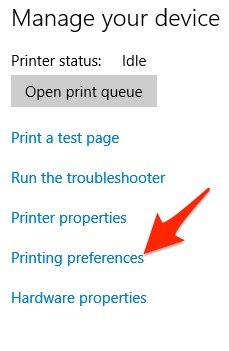
Click the Printing Preferences link in the left hand list.
- Click "Others" tab.
-
Make sure "SNMP Communication" box is unchecked.
- Click "OK" to save and close the printer preferences, and "OK" once more to close the printer properties.
Last Modified:
Nov 21, 2025 11:47 am US/Eastern
Created:
Jan 11, 2017 10:37 am US/Eastern
by
admin
JumpURL: