The Input Series Dialog 
Notes on the Input Series Dialog
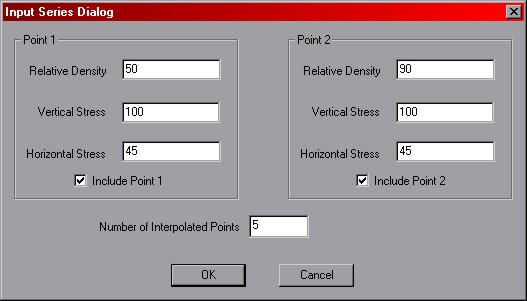
The dialog is used to generate several entries in the
analysis queue by interpolating between values of relative density and stress.
Point 1 and Point 2 correspond to the endpoints of the series. Note that interpolation
is only able to be made between values of stress and relative density. All other input parameters are
specified through the dialogs in the Add Analysis Scenario Dialog.
Number of Interpolated Points -- this value specifies how many entries are to be generated. This
number includes the endpoints, if they are selected for inclusion in the series.
OK / Cancel -- clicking 'OK' will add a series of entries to the
analysis queue using the settings in the dialog.
Clicking 'cancel' will do nothing. Both buttons return you to the
main interface.
 Previous
 Next
Next