| NAVIGATION |
| Introduction |
| Preparing Input |
| Running the Analysis |
| --Monitoring the Analysis |
| Output |
| CONPOINT theory |
Running the Analysis from the main interface.
There are two ways to access the compute features in WinCONPOINT, the main menu bar and the button toolbar.
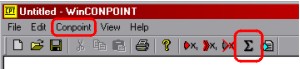
the main menu bar and the button toolbar -- compute features highlighted
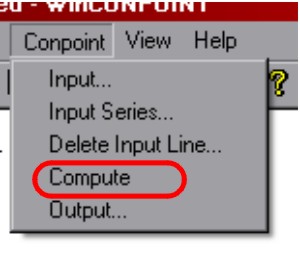
the main menu bar expanded -- compute option highlighted
In WinCONPOINT 1.01, there is one option available to process the input scenario queue:
 clicking this button immediately begins the analysis and displays the
Plastic Zone Progress Window
clicking this button immediately begins the analysis and displays the
Plastic Zone Progress Window
 Previous
 Next
Next