When you first start WinCONPOINT
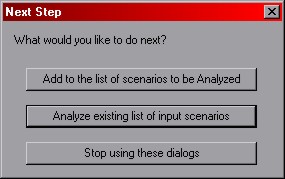
When you first start WinCONPOINT and complete the Add Analysis Scenario Dialog
, you are presented with three options:
Add to the list of scenarios to be Analyzed -- this option takes you directly to
the Add Analysis Scenario Dialog where you can add a single entry to
the analysis queue.
Analyze existing list of input scenarios -- this option begins
the cavity expansion computations
using the parameters entered into the analysis queue.
Stop using these dialogs -- this option takes you to the main interface for the program. From
the main interface, you can
load and save your progress,
modify the input scenario queue,
execute an analysis, or
output data.
 Previous
 Next
Next